
 By
By Follow these steps to create a channel on WhatsApp Web:
1. Open WhatsApp Web on Google chrome Browser and go to the Channels section by clicking on the Channels icon.
2. Click on the Create New Channel option.
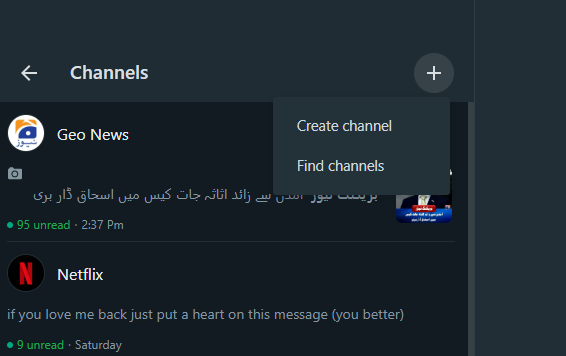
3. Click “Continue” and follow the on-screen prompts to set up your channel.
4. Add a channel name to complete the channel creation. You can change the name later if needed.
5. You can customize your channel by adding a description and an icon at this point, or you can choose to do it later.
You’re all set! You’ve successfully created a channel on WhatsApp Web. Start sharing updates with your subscribers.